
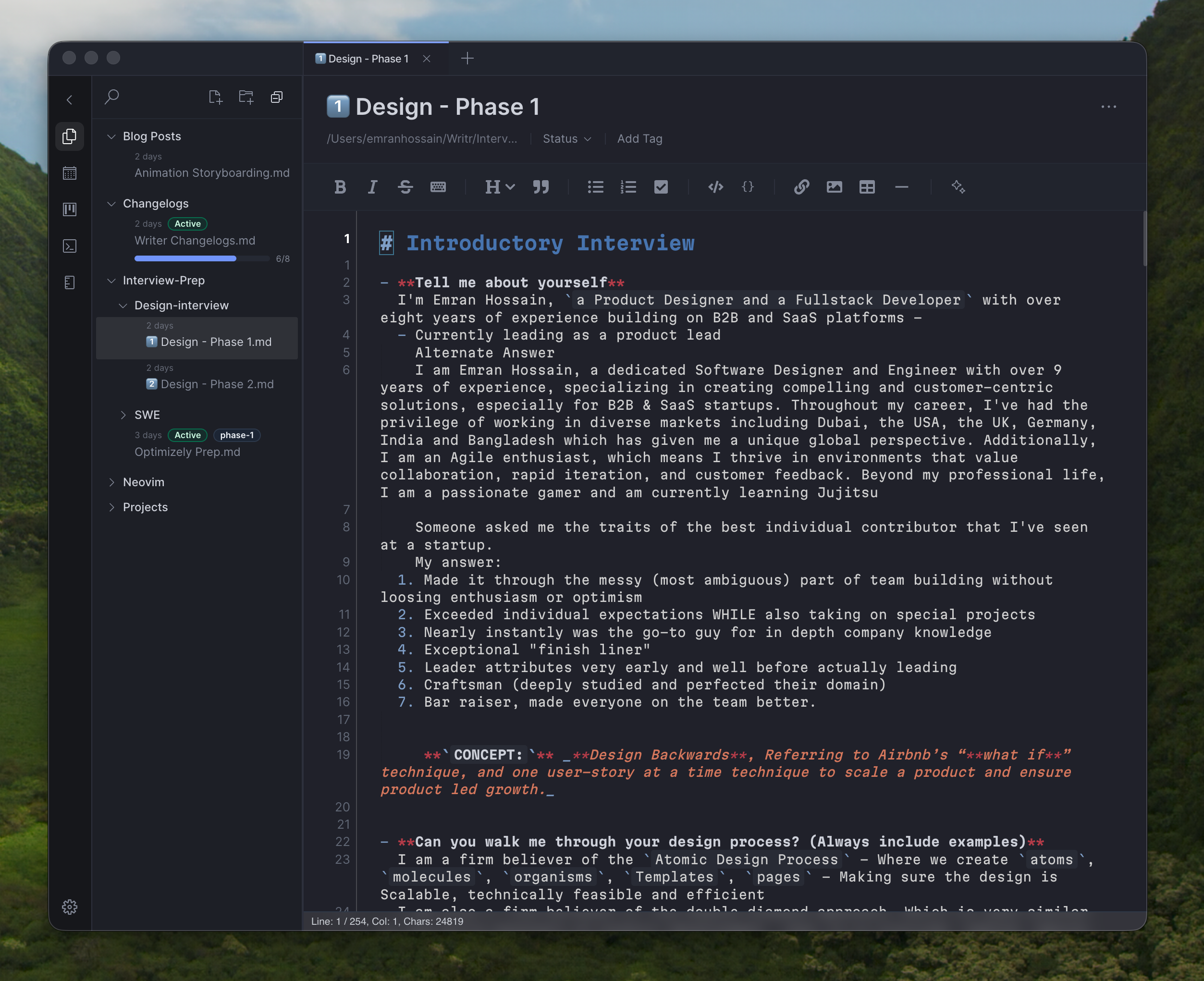
Local-first Markdown notes with Intuitive editing, freeform Canvas, Kanban board, and an embedded Terminal.
Writer keeps your notes as plain files under ~/Writer. Write fast with Live
Preview, preview or export to PDF, and organize work without leaving your notes workspace.
Why Writer
Writer makes Markdown feel fast, natural, and easy to shape as you write. Intuitive commands
keep formatting, structure, and navigation close at hand, so headings, lists, links, and tasks
stay smooth instead of interrupting your flow. Built-in AI helps you draft, refine, and expand
ideas faster with the context of your notes, while your files remain local and readable under
~/Writer.
- Local-first: your notes are real files on disk.
- Organize beyond docs: Canvas for spatial thinking, Kanban for tasks.
- Practical exports: export notes and canvases to PDF.
- Customizable: theme, fonts, Vim mode, wrapping, line numbers.
Feature highlights
Editor + Live Preview
CodeMirror-based editor with inline rendering behavior inspired by Obsidian.
Preview + split view
Full preview and side-by-side split view with scroll sync.
Canvas, Kanban, Terminal
Canvas files in your vault, Kanban boards in local storage, and a real shell tab.
Export to PDF & CSV
Export Markdown notes canvases to PDF and Spreadsheets to CSV.
FAQ
Where are my notes stored?
~/Writer as normal files.